1. Create an Optivise account and choose an Ads package
Sign up at optivise.gr and, on the “Meta Ads” page, choose Ads Start, Ads Grow or Ads Pro. It's a monthly subscription you can cancel anytime.
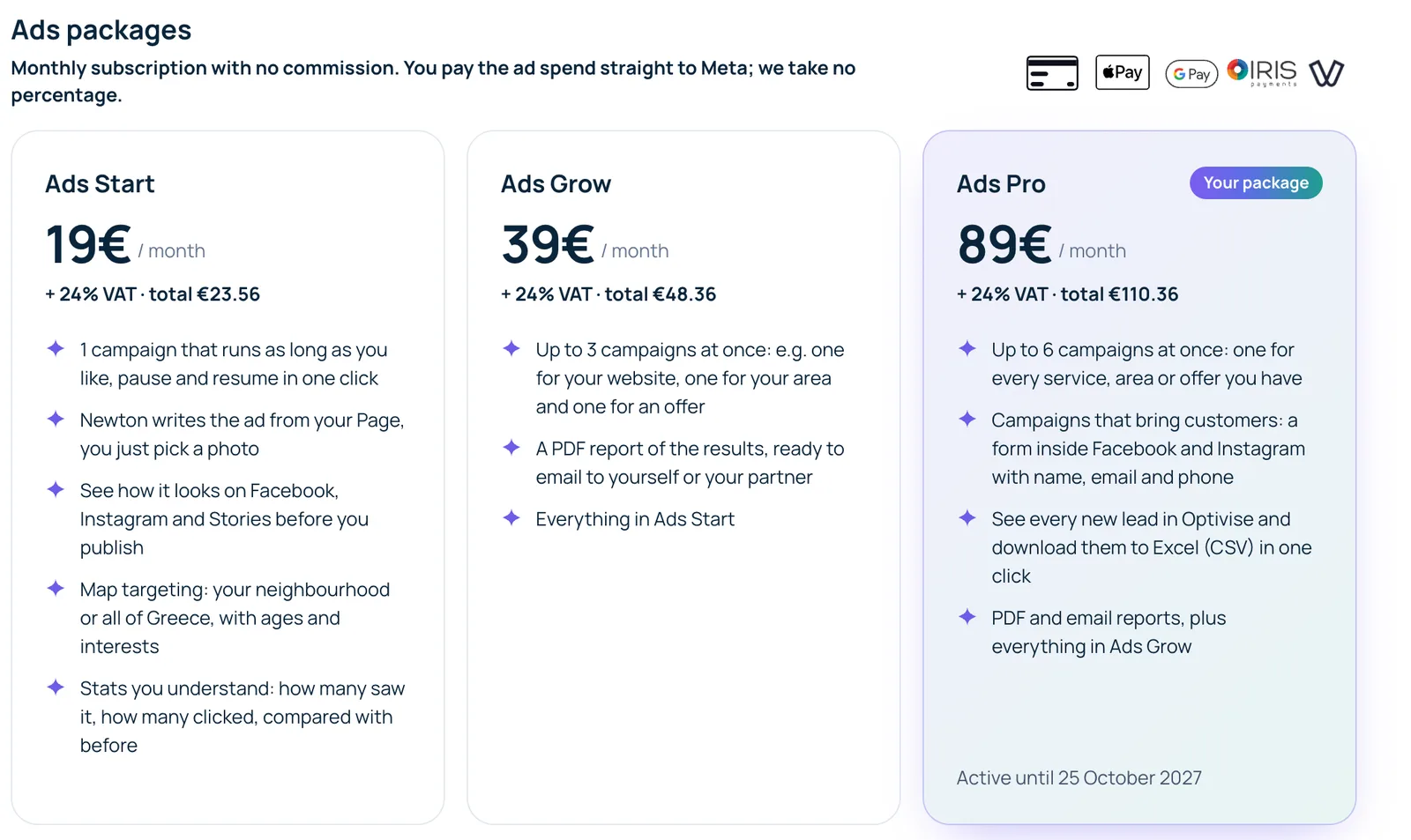
The three Ads packages on the “Meta ads” page 2. Do you have a Meta ad account?
If you've ever run an ad on Facebook or Instagram, you do. If not, create one for free in 2 minutes: Meta Business → Settings → Accounts → Ad accounts → Add → Create a new ad account. Choose EUR and your time zone.
Open Meta Business ↗3. Add a payment card in Meta
Ads are paid to Meta, not to us. Add a card in your ad account's payment settings. Without a card the campaign is created but won't start.
Meta payment settings ↗4. “Continue with Facebook” in Optivise
On the “Meta Ads” page click “Continue with Facebook”, log in and press Continue. If you have one ad account and one Page they are selected and saved automatically; otherwise you choose which ones to use.
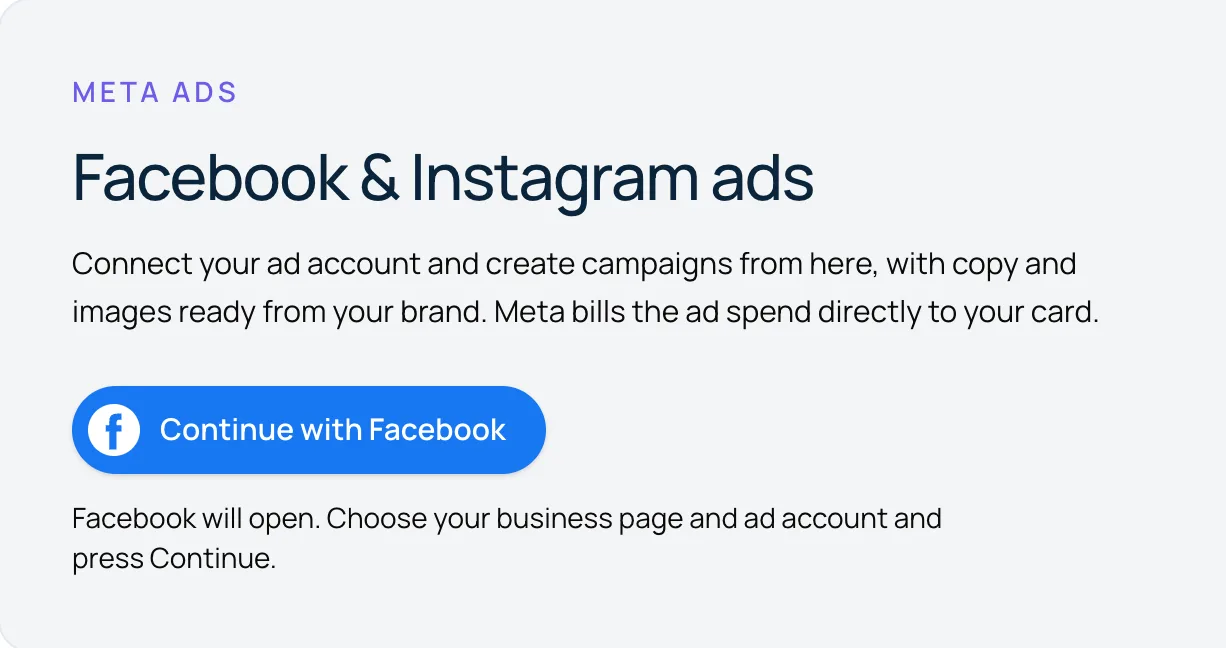
Click “Continue with Facebook” 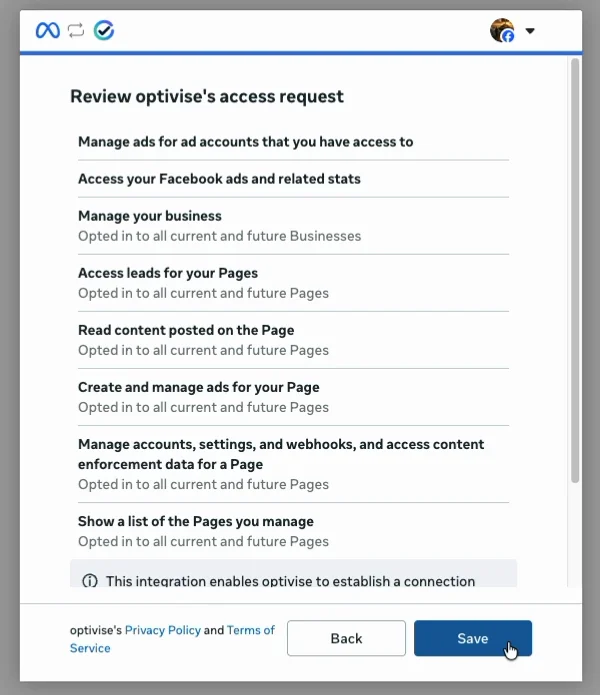
Facebook shows the permissions you grant: press Continue / Save 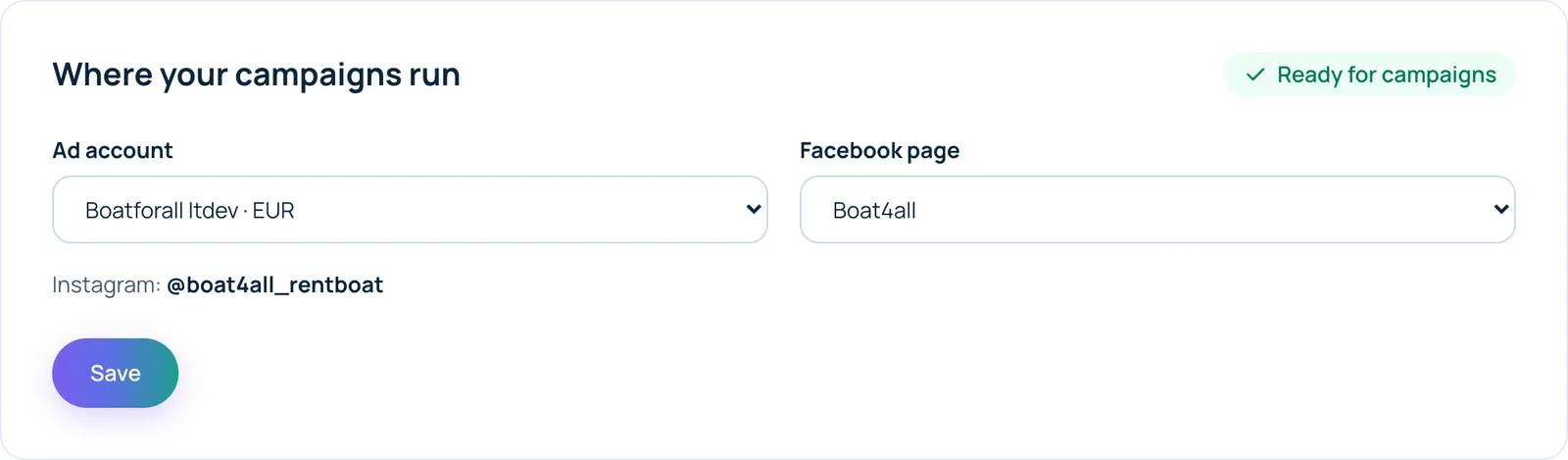
Back in Optivise: ad account and Page, “Ready for campaigns” 5. New campaign
Click “New campaign”: pick a goal, Newton writes the ad from your Page, choose a photo, set the area on the map, ages and budget, preview it on Facebook, Instagram and Stories, and publish. Meta reviews it (minutes to 24 hours) and it starts.
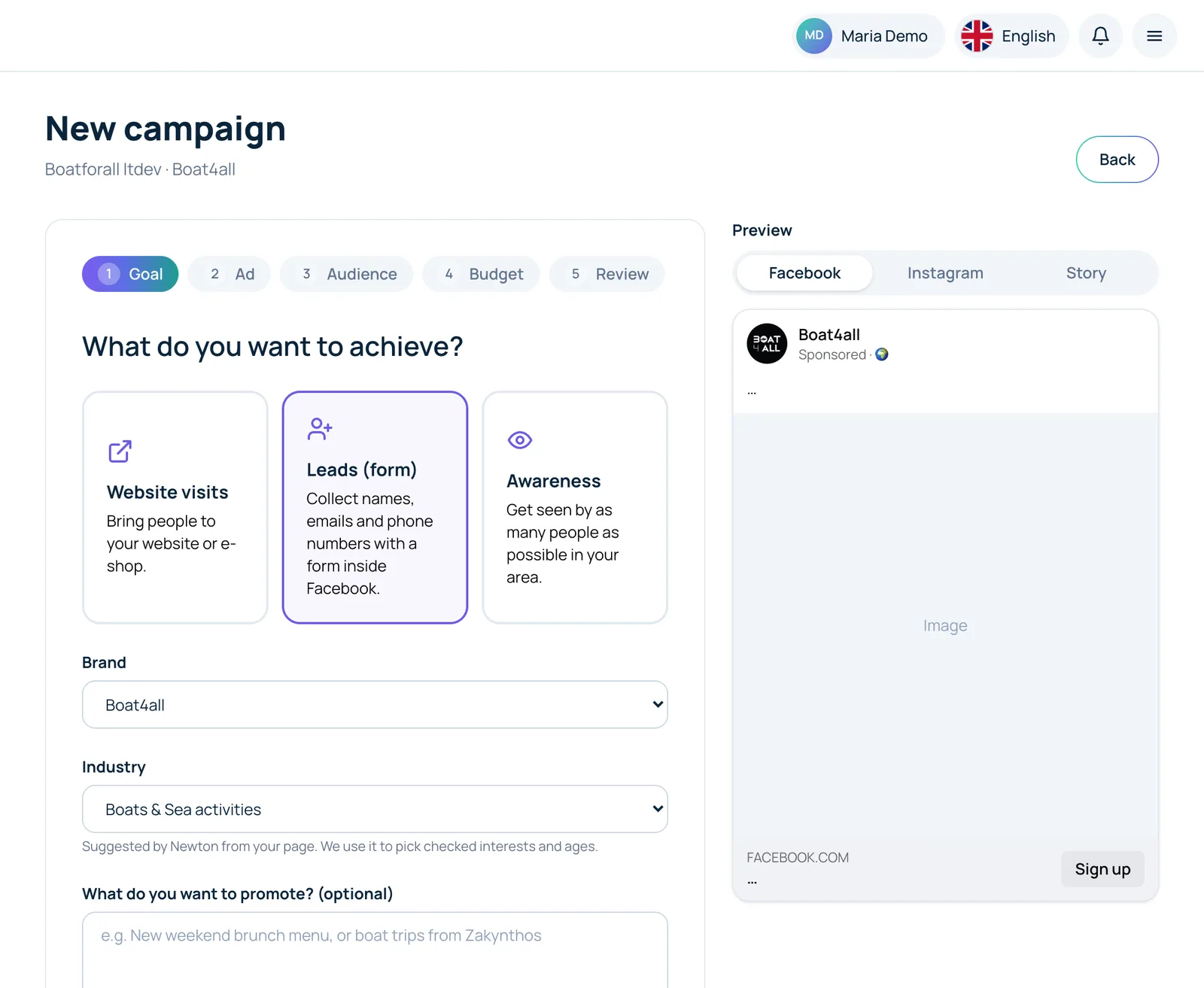
Goal: website visits, leads (form) or awareness 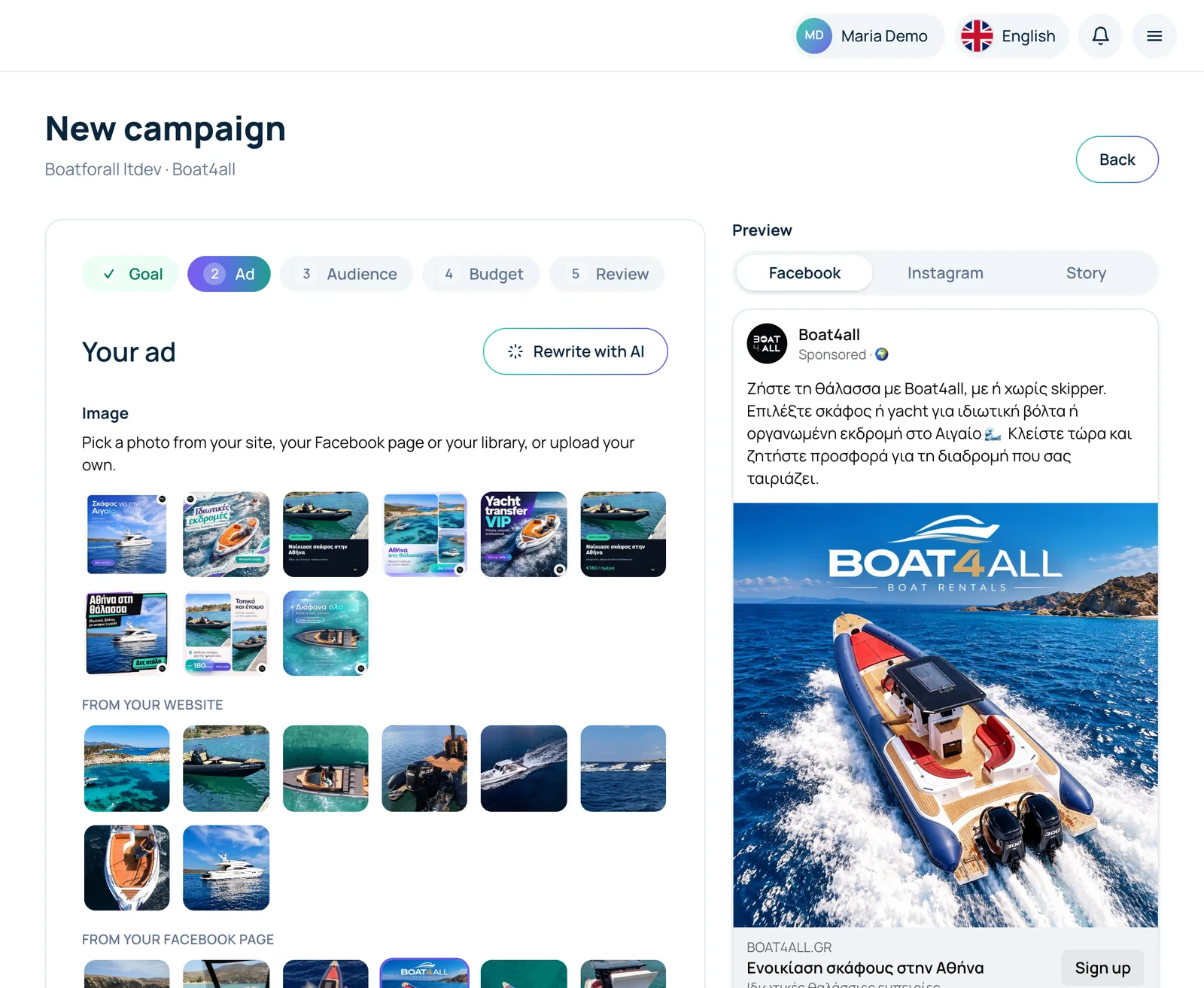
Newton writes the ad, you pick a photo and see the preview 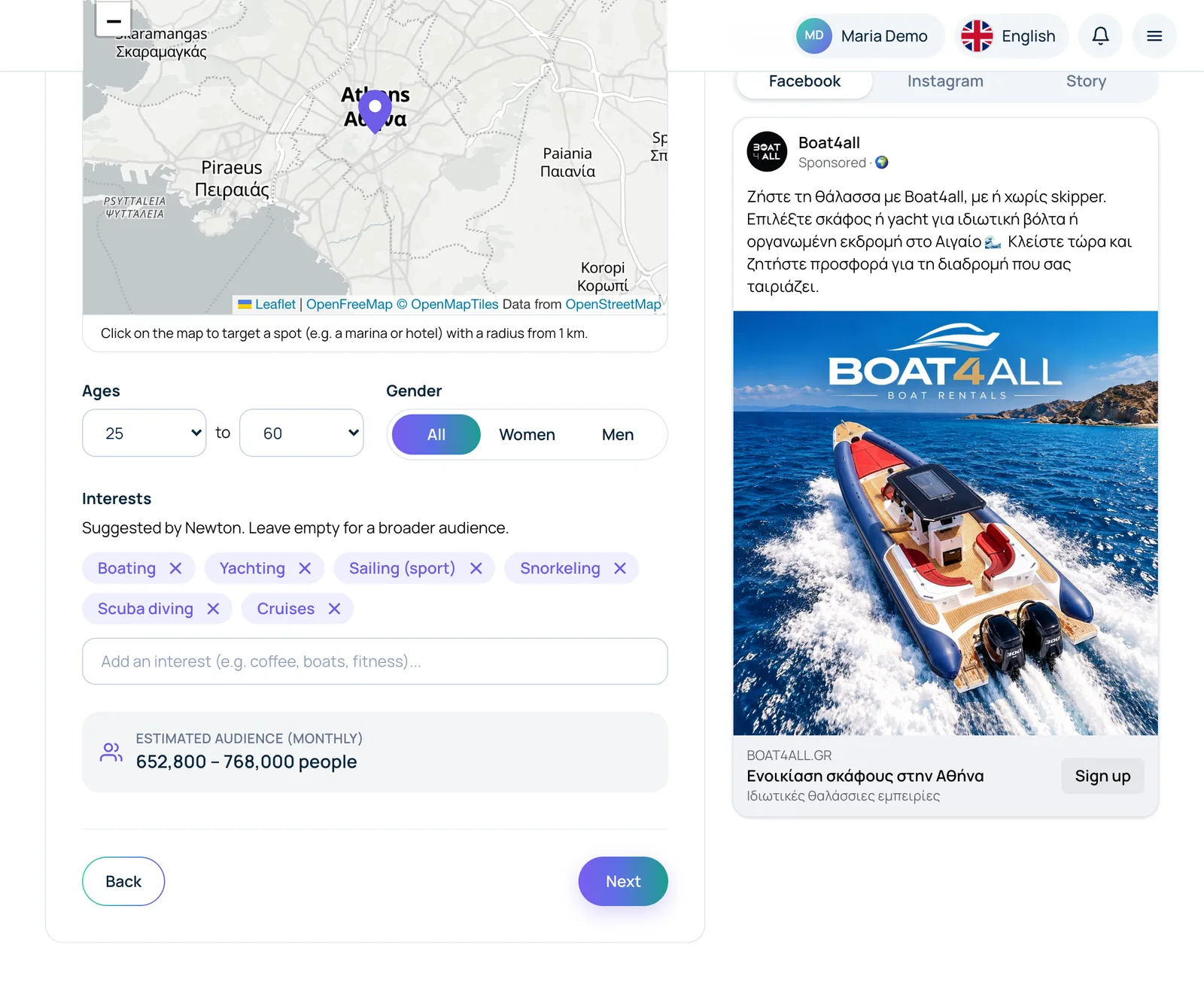
Audience: area on the map, ages, interests and estimated reach 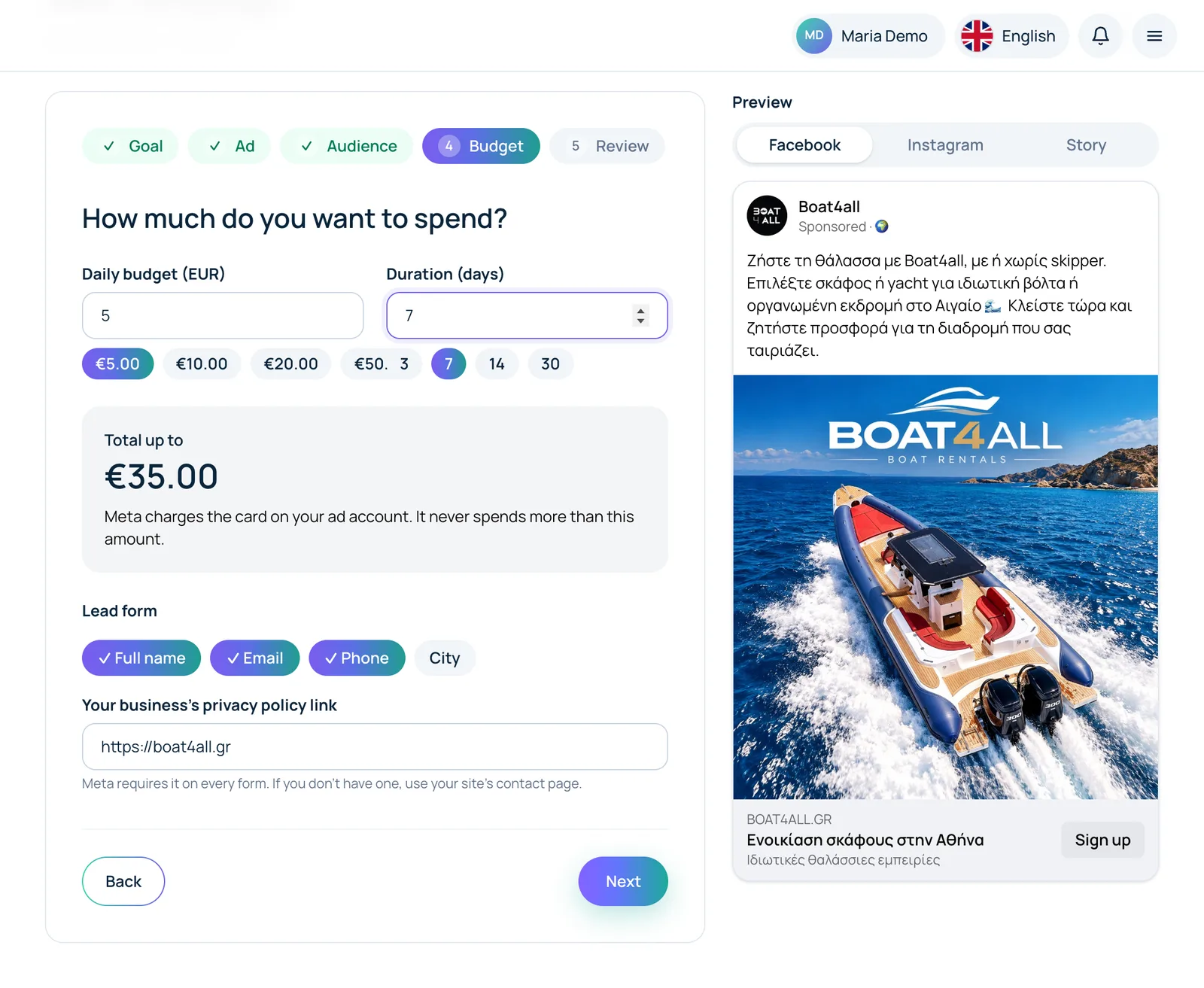
Daily budget and duration, with the total you'll pay Meta 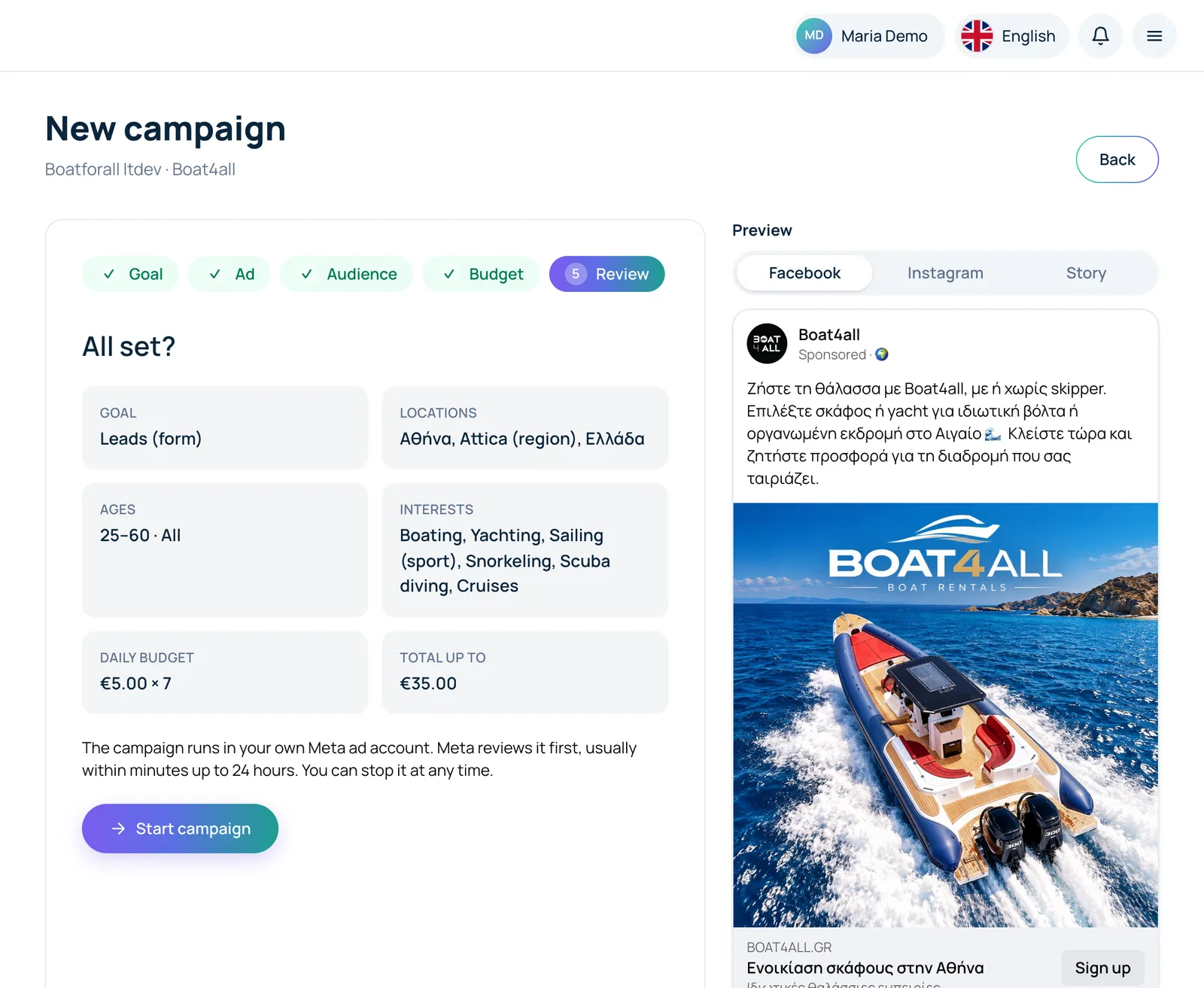
Review and “Start campaign” 6. See the results
On the same page you see how many people saw the ad, how many clicked and what it cost, compared with the previous period, who saw it (gender, age, region), and you can download a PDF report or email it. From the campaign list you pause or resume campaigns and see the leads from your form.
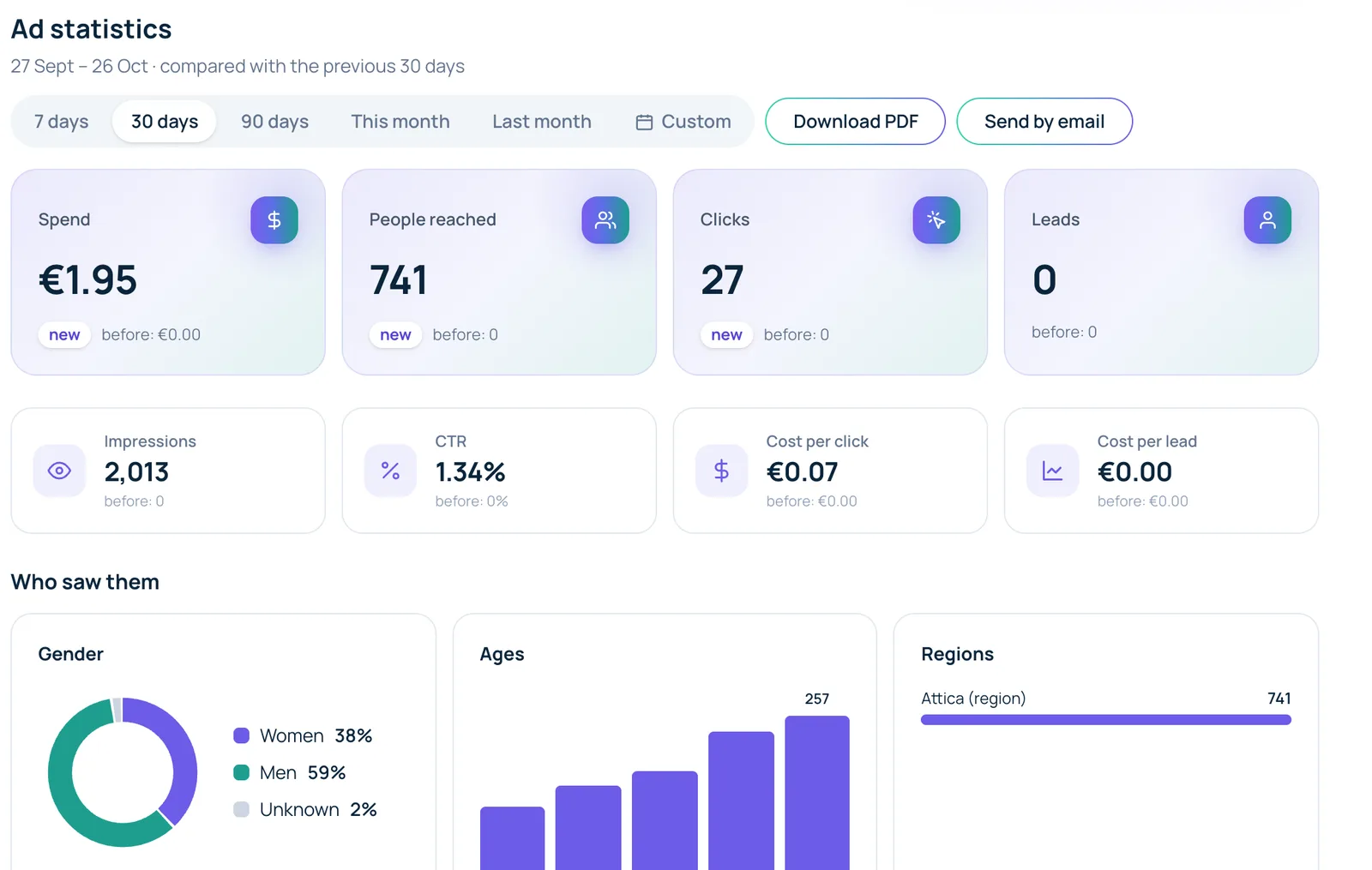
Statistics with period comparison, PDF and email 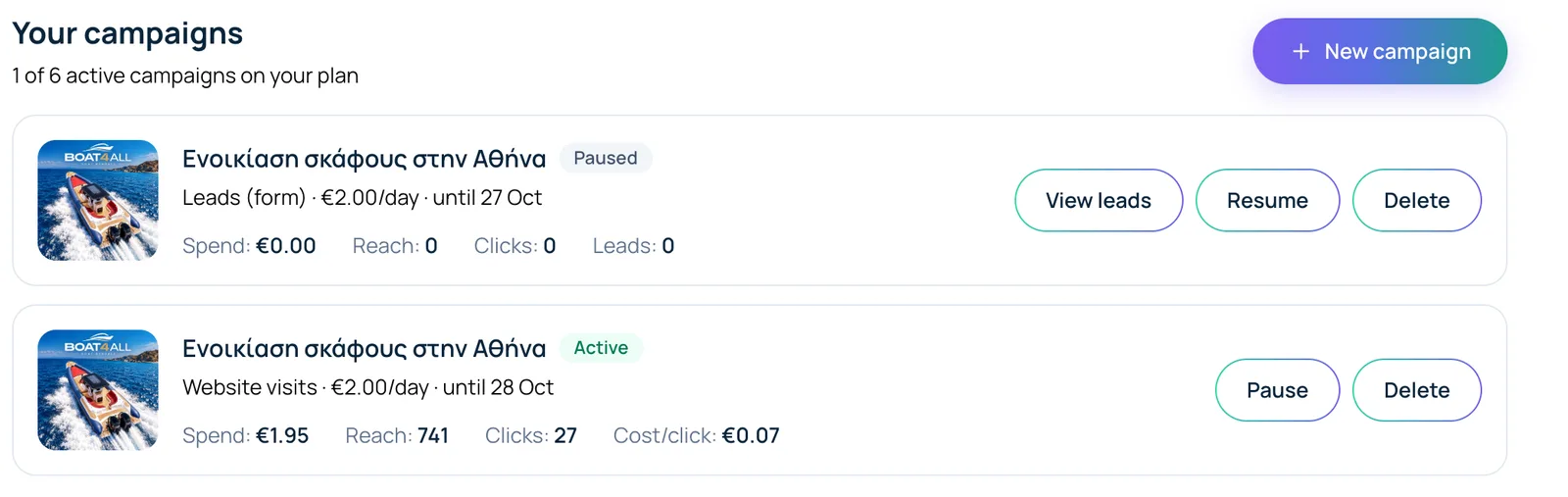
Your campaigns: pause, resume and leads in one click
FAQ
Who pays for the ads?
You do, directly to Meta, with your ad account's card. In Optivise you only pay the monthly subscription, with no percentage on spend.
How much do I need to spend?
As much as you like, from €2 a day. You set the budget and dates for each campaign.
Can I stop a campaign?
Yes, with “Pause” in the campaign list, anytime. Resume it with one click.
What happens if I cancel the Ads package?
It stays active until the end of the month you paid for. Then campaigns are paused, so Meta never charges you without you knowing.
Is it safe to connect my Facebook?
Yes. It uses Meta's official login, we only see the ad account and Page you choose, and you can disconnect anytime.